SATS Cargo Loading Simulation
Elevating aviation training through interactive tech.
A custom-built simulator powering the next generation of cargo ramp professionals. Featuring accurate 3D assets, dynamic interactions, and seamless enterprise software integration.
01 Overview
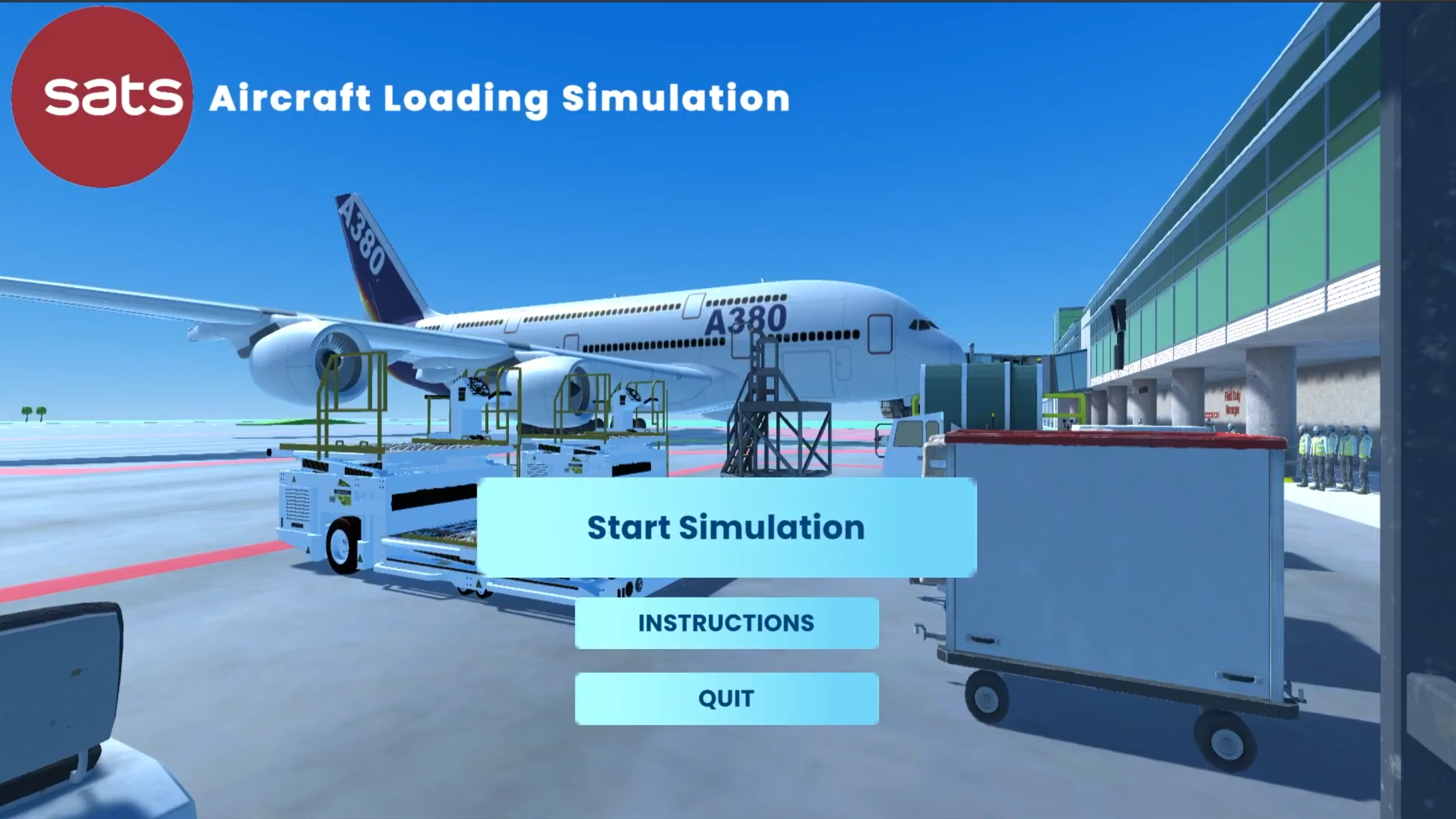
Aviation ground handling demands absolute precision. To accelerate and elevate the training experience for new apron staff at SATS, I engineered a high-fidelity, interactive 3D simulation that transforms complex standard operating procedures into an immersive digital experience.
Built from the ground up in Unity Engine, the platform seamlessly merges physical mechanics with enterprise software. Trainees navigate custom-crafted 3D cargo holds, actively maneuvering JCPL transporters, arranging cargo, and securing pallet locks. Simultaneously, they operate a fully functional digital twin of the SATS G-OPS software to scan cargo, cross-reference tracking data, and validate loading reports in real-time.
From crafting the initial 3D meshes in Autodesk Maya to architecting the C# interaction logic and revamping the UI/UX, this project was conceptualized, designed, and built end-to-end solo. It bridges the gap between classroom theory and tarmac execution, delivering a risk-free, highly accurate environment for operational mastery.
02 Client Profile
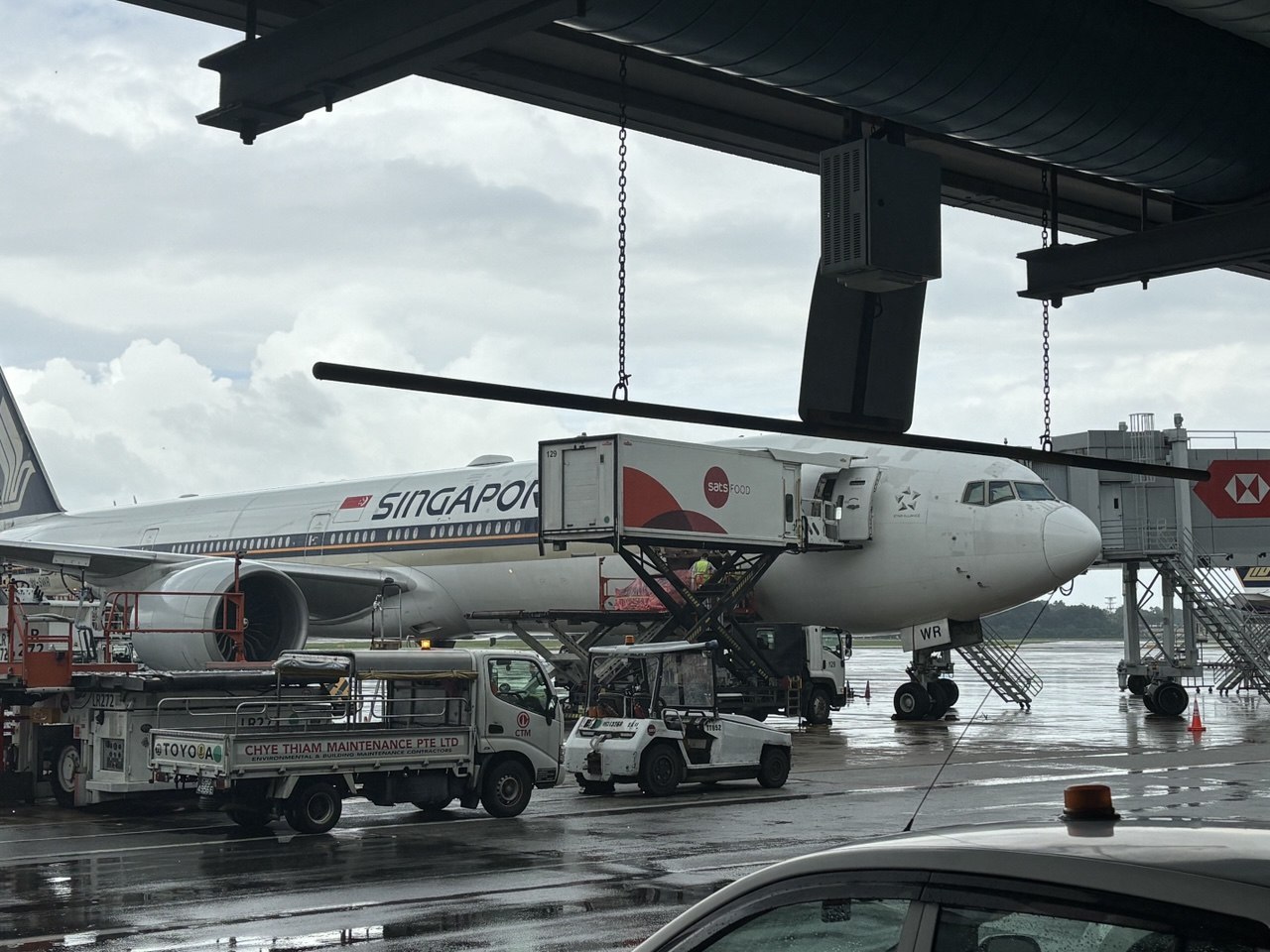
SATS (Singapore Airport Terminal Services) is a global frontrunner in gateway services and Asia's premier provider of food solutions. Overseeing approximately 80% of ground handling and catering operations at Changi Airport, SATS serves as the operational backbone for one of the world's busiest aviation hubs and maintains an integral strategic partnership with Singapore Airlines.
Established in 1947, the organization has continually evolved by merging advanced technology with a deeply rooted culture of innovation. Today, SATS stands as the preferred partner for airlines, airports, and institutions across the region, consistently leveraging digitalization and data analytics to elevate industry standards and drive the future of aviation operations.

03 The Challenges
The Problem: High-Stakes Operations, High-Friction Training
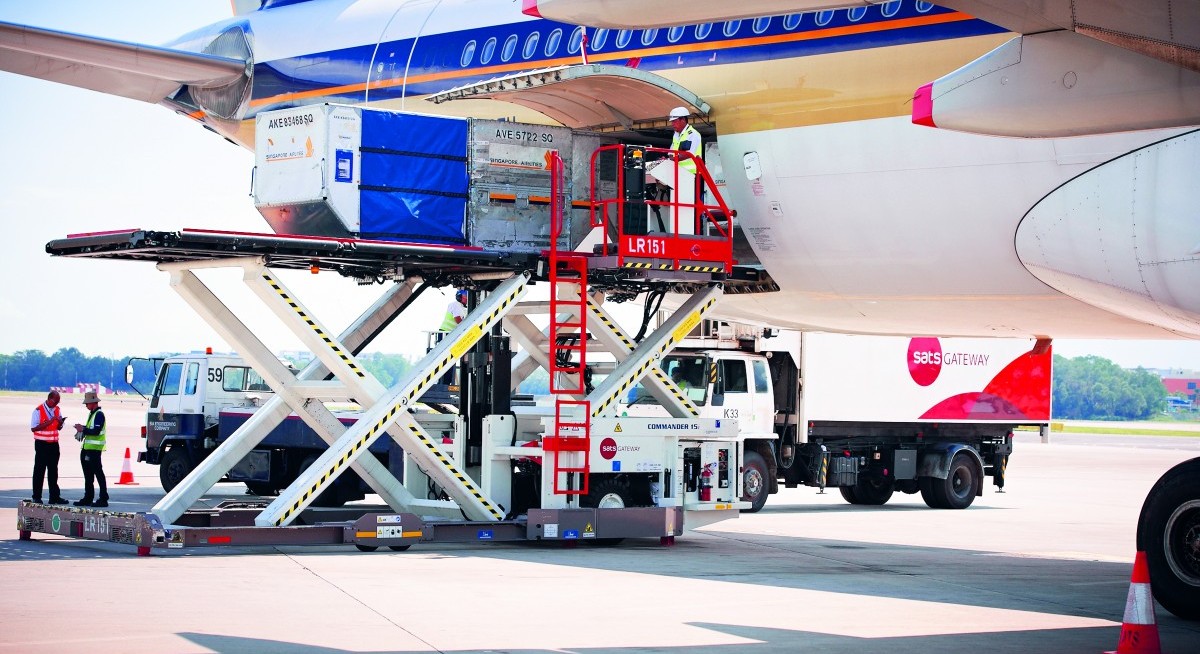
Aviation cargo loading at Changi Airport demands absolute precision, as a single miscalculation can disrupt flights. For SATS Apron staff, mastering cargo holds and strict SOPs requires intense, hands-on practice. Traditional training methods often lack the interactive repetition needed to build critical muscle memory before stepping onto a high-pressure tarmac.
The Objective: A Risk-Free Engine for Operational Mastery
The goal was to engineer an interactive 3D simulation to expedite training for new apron staff. This high-fidelity digital twin of actual operations allows trainees to practice maneuvering transporters, securing cargo, and using enterprise software in a fully risk-free environment.
 img: sats.com
04 My Role & Toolkit
Scope & Project Management
Operating as the sole Product Designer and Engineer, I owned the product lifecycle end-to-end. Beyond hands-on development, I managed the strategic roadmap—defining the scope, navigating technical constraints, and ensuring the final product aligned seamlessly with stakeholder expectations and training objectives.
Discovery & Field Research
Translating a high-stakes physical operation into a digital space requires absolute context. I was granted on-site access to Changi Airport's airside, collaborating directly with an industry supervisor to dissect complex ground handling workflows. This firsthand observation allowed me to accurately map the physical constraints of the tarmac and translate them into intuitive digital mechanics.
The Tech Stack
- Simulation Architecture.
- Unity Engine (C#) — interactive logic, object physics, and the real-time runtime.
- 3D Environment Modeling.
- Autodesk Maya — true-to-scale digital twins of cargo holds and equipment.
- Visual & UI/UX Design.
- Adobe Creative Suite — realistic asset textures and a high-fidelity interface.


05 Research & Context
On-Site Discovery & Workflow Mapping
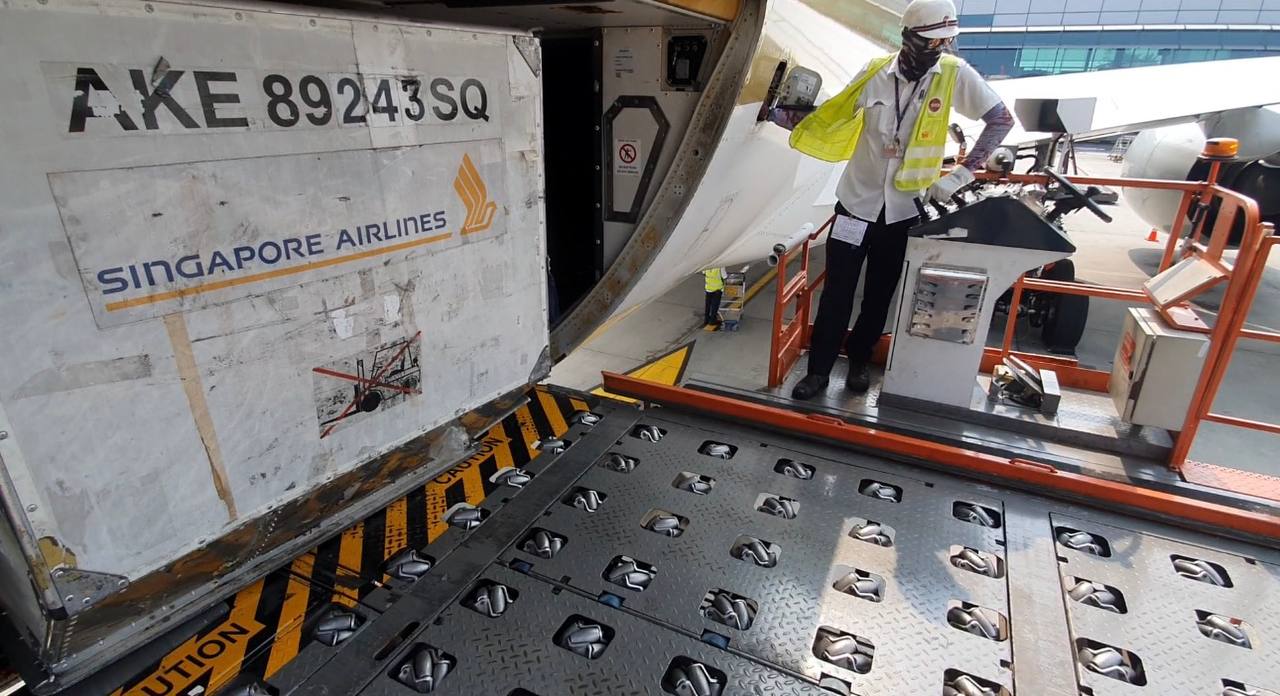
To engineer a simulation that felt authentic to seasoned aviation professionals, I conducted comprehensive field research directly at the Changi Airport airside. Accompanied by an industry supervisor, I observed active cargo loading operations to map the intricate workflows required to maneuver and secure heavy unit load devices (ULDs) within the restrictive confines of an aircraft's cargo hold.
Capturing the Physical Reality
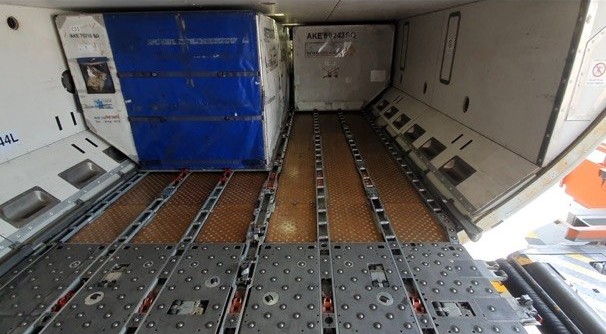
I documented the precise mechanics of the operation, capturing detailed reference photography of critical components:
- The Spatial Constraints.
- Observing how apron ramp staff navigate the tight geometry of the cargo hold while managing large containers side-by-side.
- The Mechanical Interfaces.
- Studying the exact operation of the floor-mounted pallet locks (the latches that secure the cargo) and the roller tracks that guide the pallets into position.
06 3D Modeling & Design
From Reference to 3D Assets
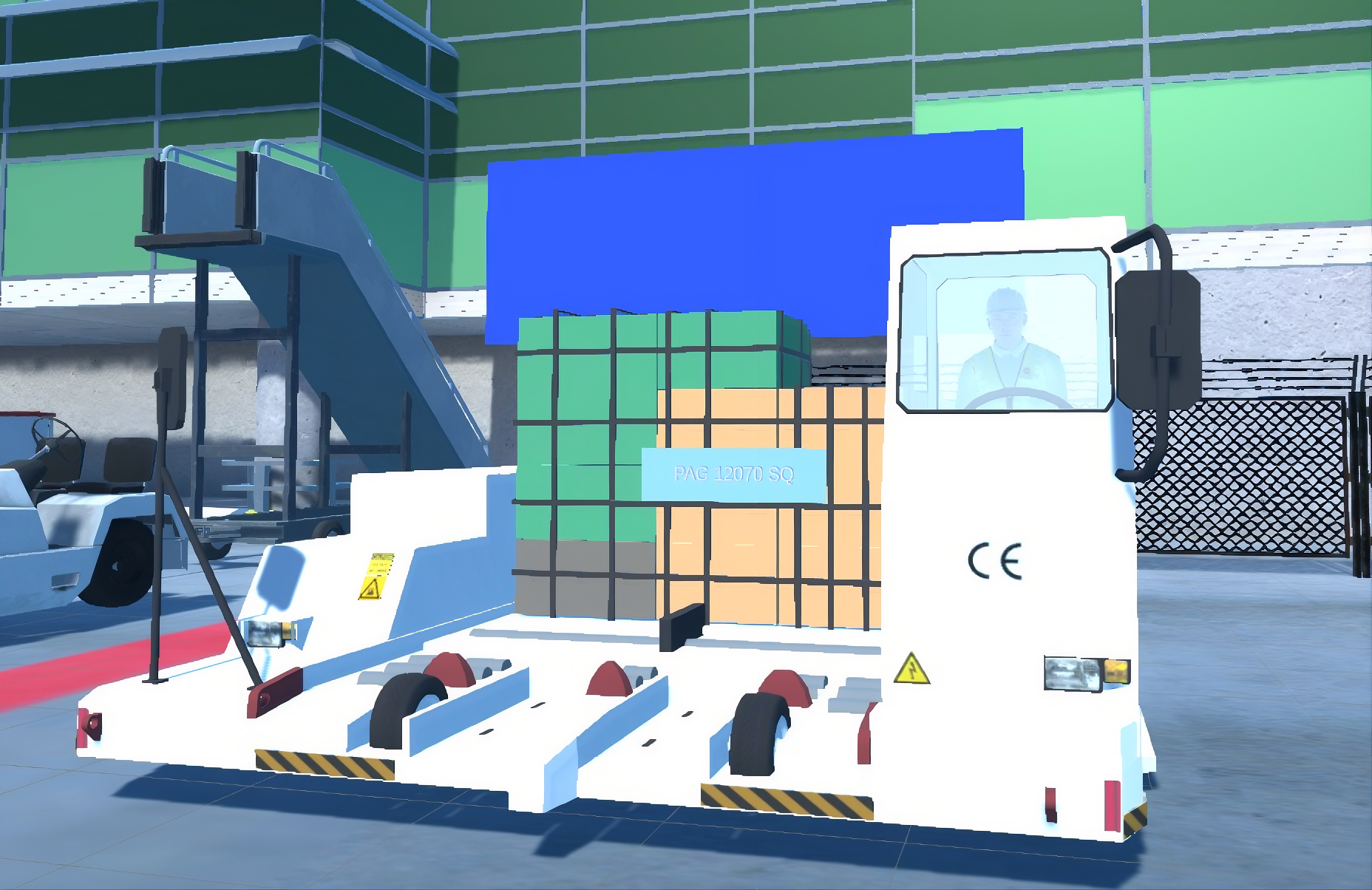
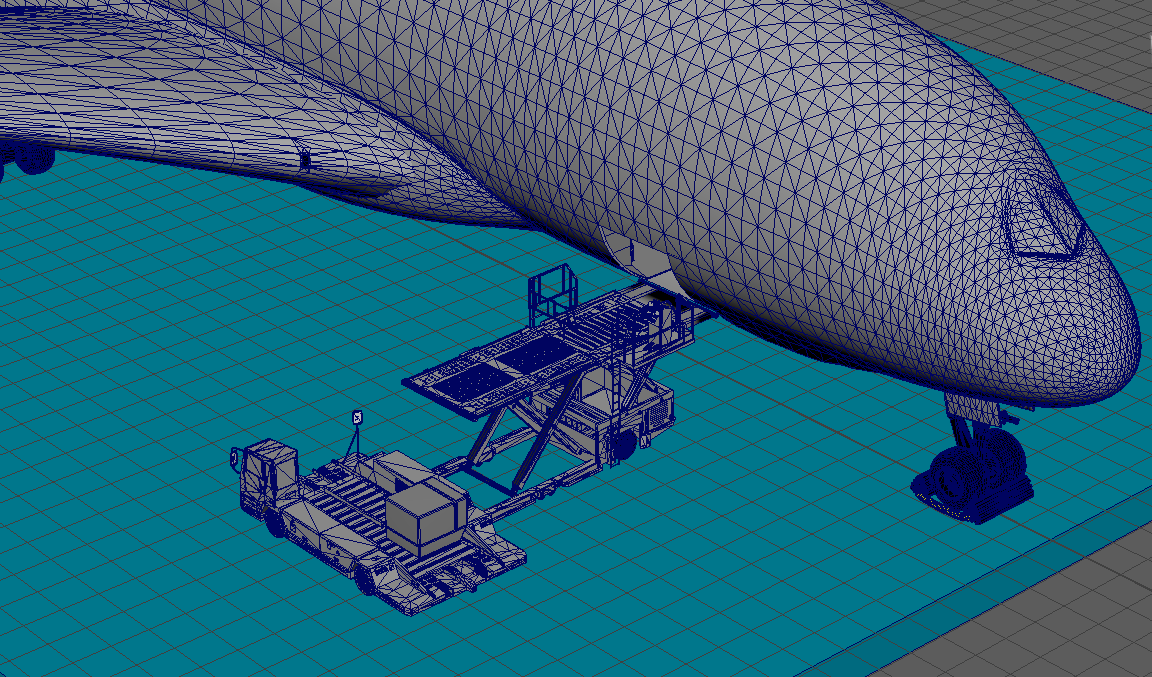
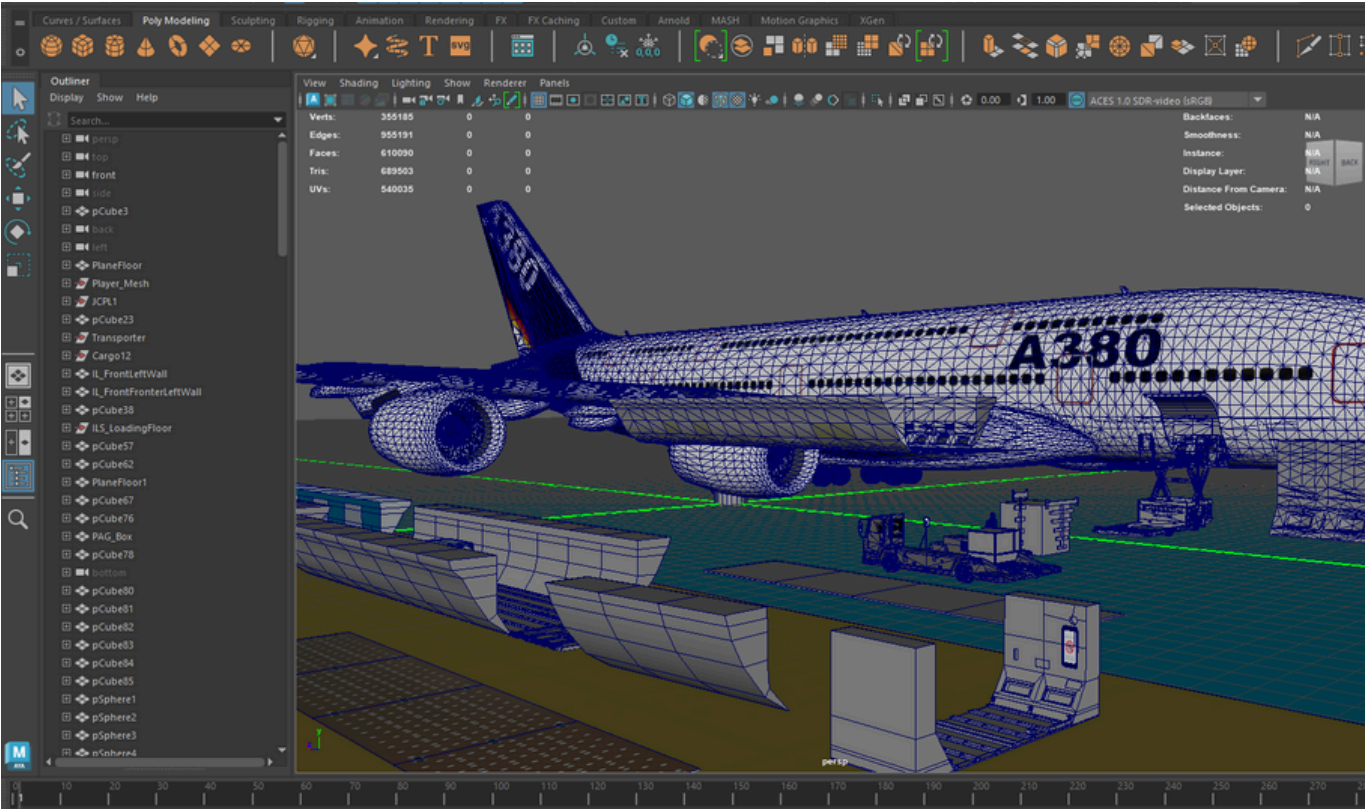
Using the photos and videos captured during my on-site research, I modeled the simulation environment and operational assets from scratch using Autodesk Maya.
Scaling for Functionality
To get the sizing right, I imported a player character into Maya to use as a baseline reference. This ensured the cargo pallets, transporters, and pallet locks were scaled accurately enough for the interaction and locking mechanics to work smoothly in the game engine.
Texturing & Scene Building
Once the modeling was complete, I used Adobe 3D Substance Painter to apply custom materials and textures. To make the scene feel like a genuine Changi Airport environment, I also modeled and placed background elements like the Control Tower and the Jewel building.
07 UI/UX Design
The interface was designed to support the training. By prioritizing clear instructions and familiar controls, the user experience reduces cognitive load so trainees can focus entirely on mastering cargo operations.
Intuitive Interaction
To minimize the learning curve, character movement and camera rotation were mapped to the standard WASD and mouse control scheme.
Guided Task Flow
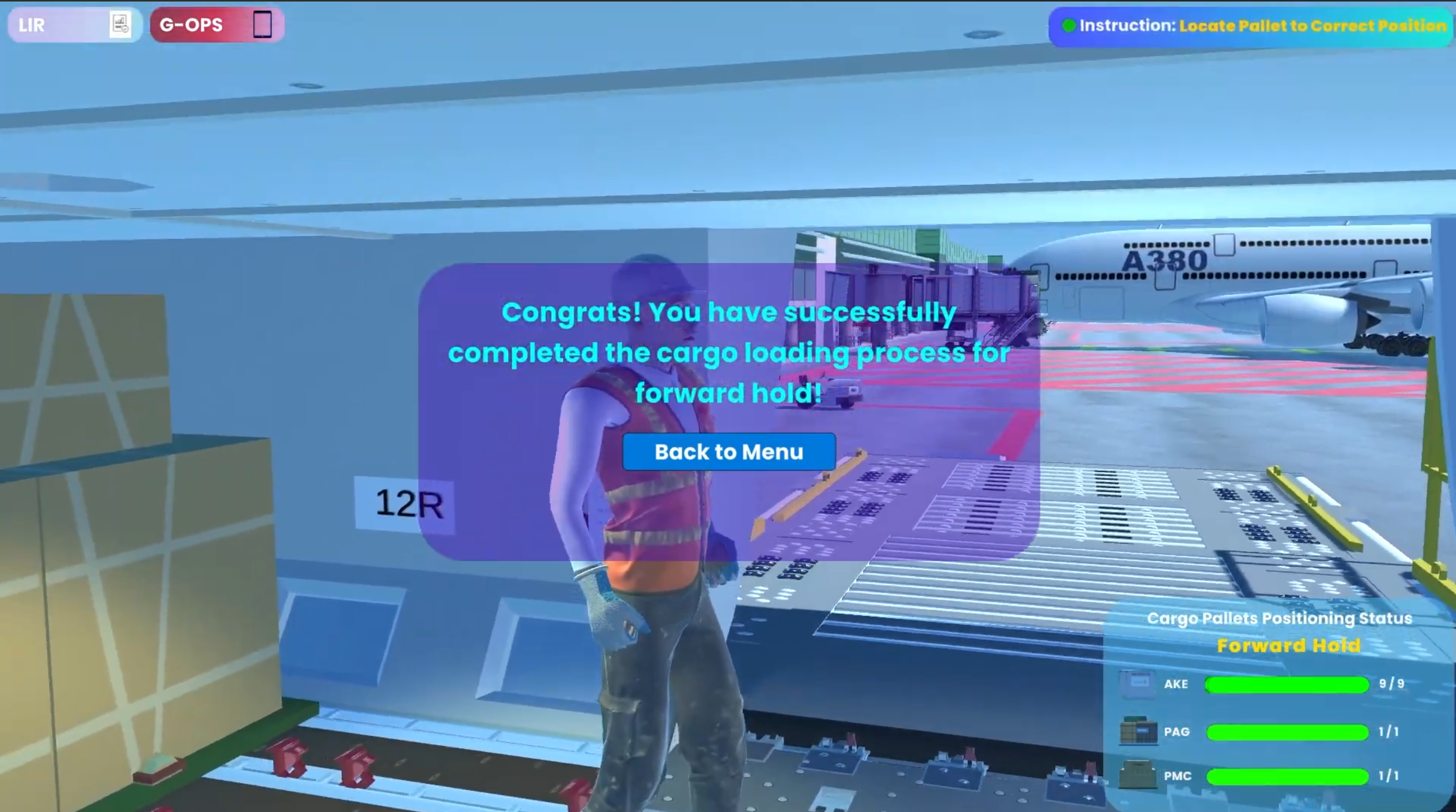
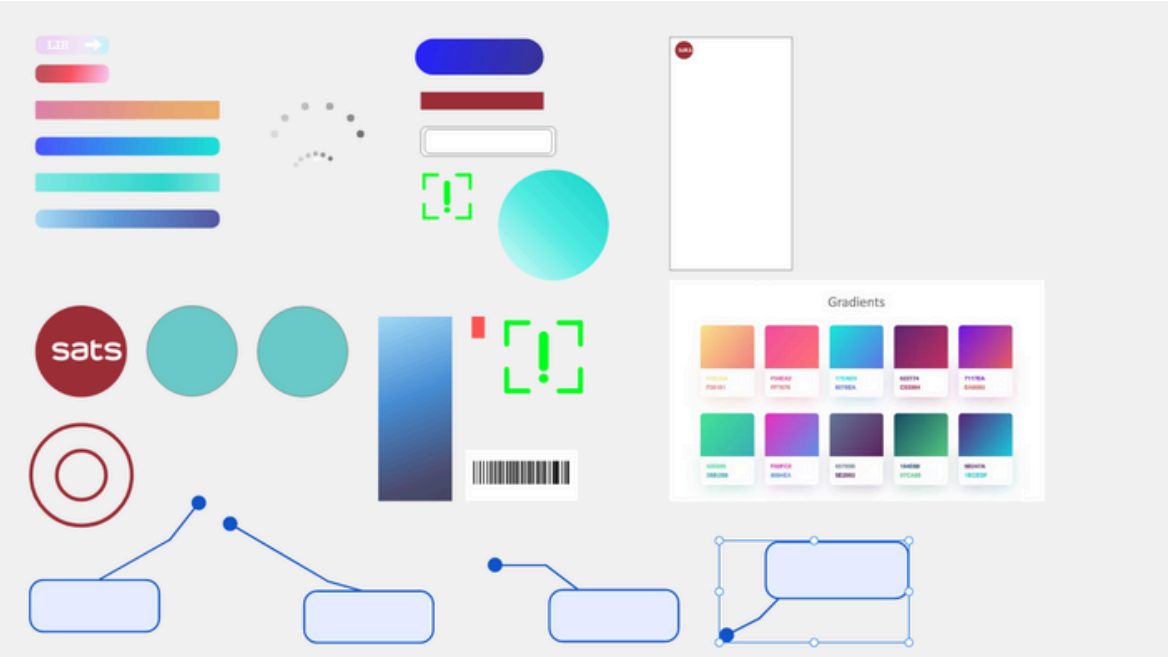
A dynamic UI system displays current task requirements and specific key inputs. Mission objectives update in real-time, ensuring trainees always know their next step.
Visual System
The interface features a defined color scheme with high readability. Critical instructions and UI buttons stand out clearly without visually clashing with the 3D environment.
08 Interactive Development & Engineering

Modular Architecture via Object-Oriented Programming (OOP)
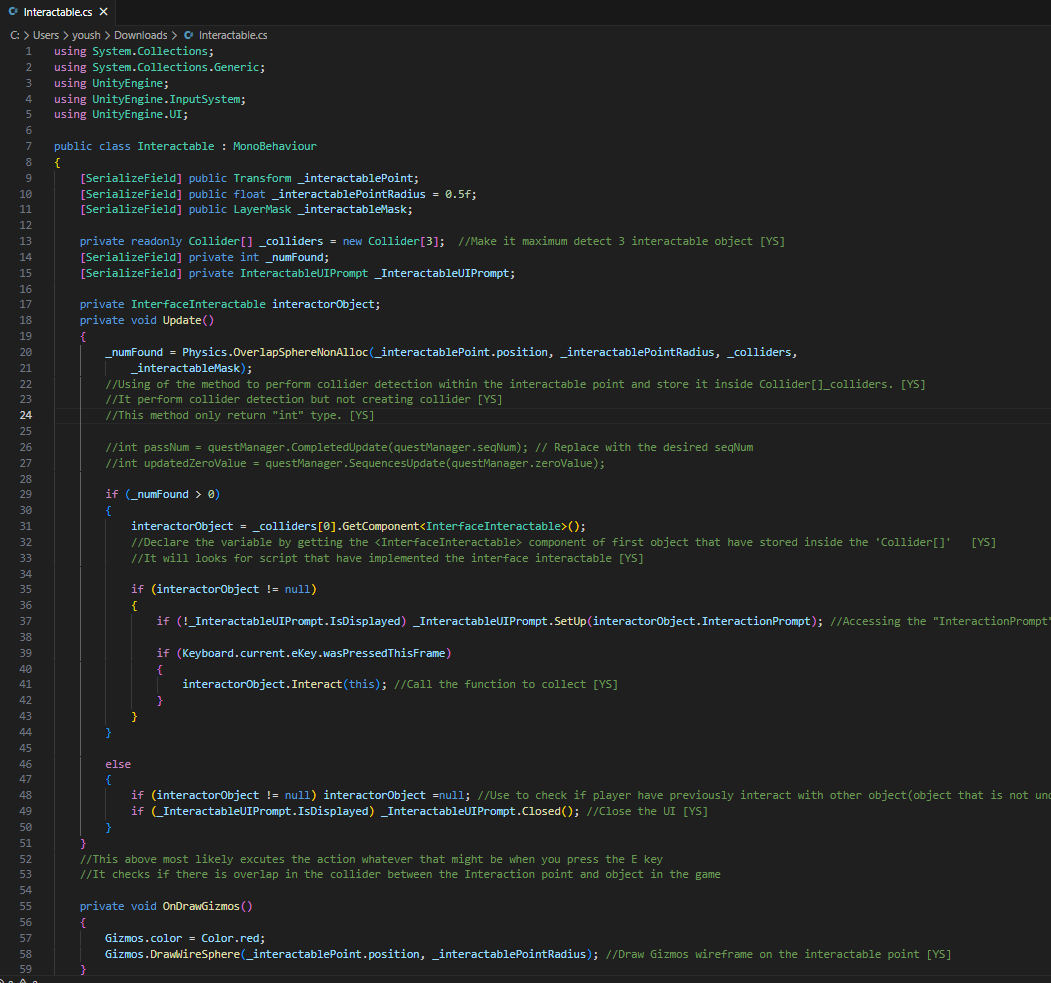
To ensure the simulation was scalable and performant, I architected a modular interaction system using C# Interfaces (InterfaceInteractable). Instead of attaching heavy, isolated scripts to every object, I utilized optimized physics casting (Physics.OverlapSphereNonAlloc) to detect player proximity. This allowed the player to seamlessly interact with various objects—from cargo pallets to aircraft damage reports—using a unified, lightweight logic structure that drastically reduced performance overhead.
Precision Spatial Tracking & State Management
Aviation SOPs require exact cargo placement. To enforce this, I engineered the ForwardHoldSystem as a robust state machine. When a trainee moves a pallet, the system continuously tracks its real-time X and Z coordinates against predefined multidimensional arrays. If a trainee attempts to lock a pallet outside the designated safe zone, the system intercepts the input, halts progression, and dynamically triggers an error UI prompt, ensuring strict compliance with real-world loading instructions.
Mechanical Synchronization & Quaternions
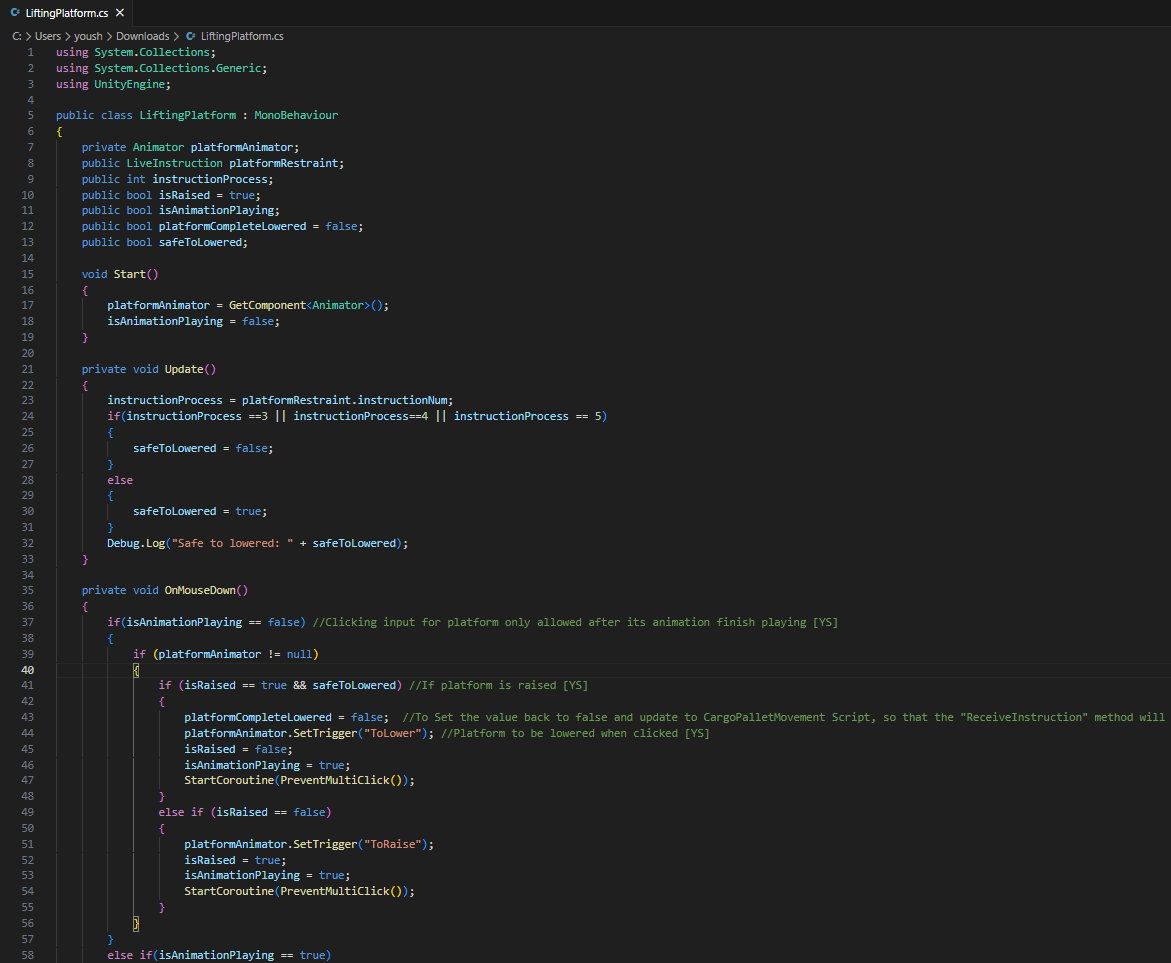
The simulation required physical mechanics to feel heavy and deliberate. Using OnClickHandler and CargoPalletMovement, I synchronized complex 3D animations with gameplay logic. Pallet locks were programmed using specific Quaternion rotations to physically snap into "lowered," "tactile," or "raised" states upon mouse clicks. Additionally, transporter platforms were coded to lock player input until specific animation frames (GetCurrentAnimatorStateInfo) completed, preventing game-breaking physics glitches.
Engineering the G-OPS Digital Twin
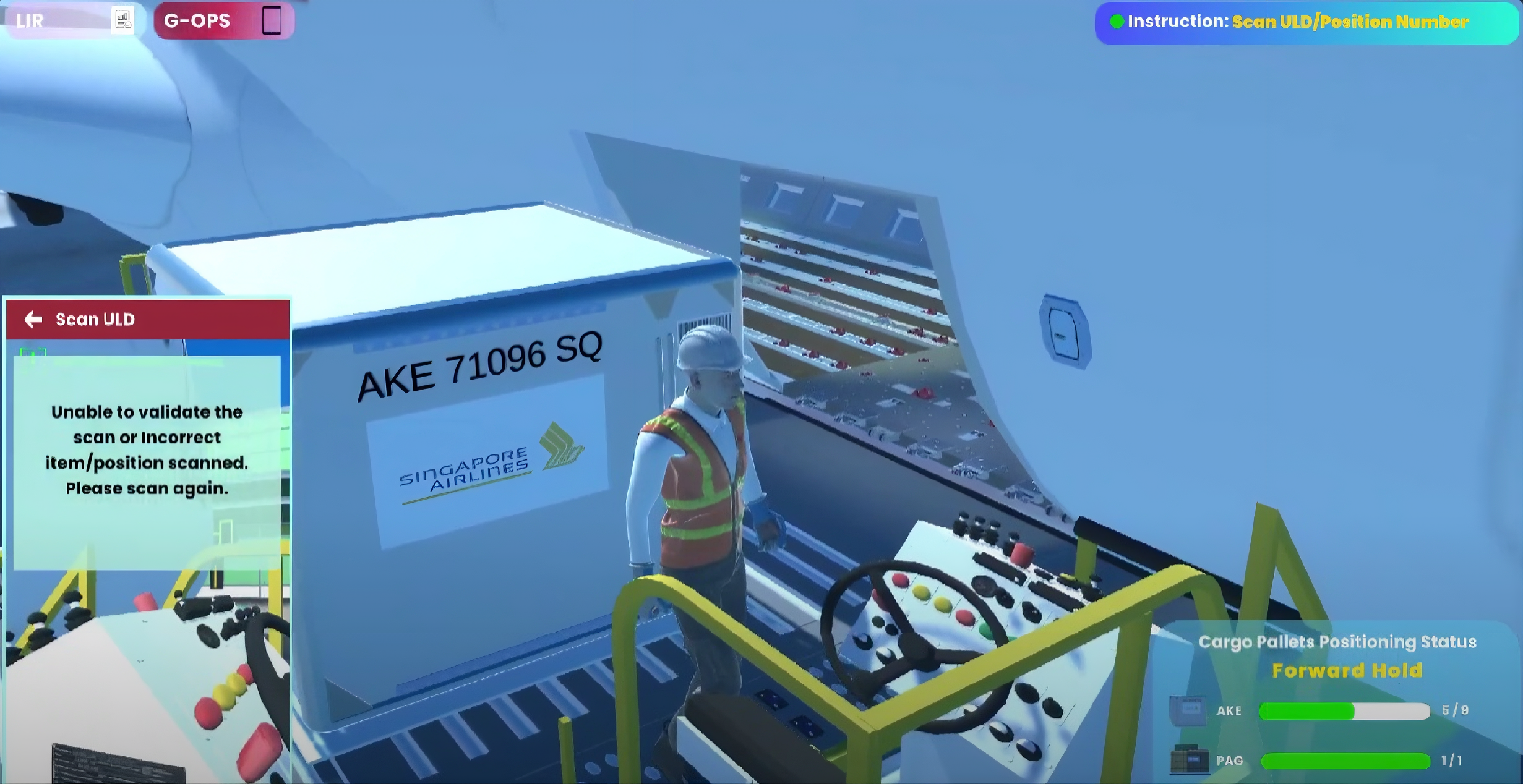
Replicating the SATS enterprise software required building a fully functional in-game camera system (PhotoCapture.cs). I utilized Unity's RenderTexture API to capture the player's real-time field of view, converting it into a Texture2D to simulate a smartphone barcode scan. I then engineered a backend validation loop that cross-references the scanned target against the active Loading Instruction Report (LIR) database—approving the operation if it matches, or prompting a rescan if the data is incorrect.
Unity Editor Workflow & Scene Assembly
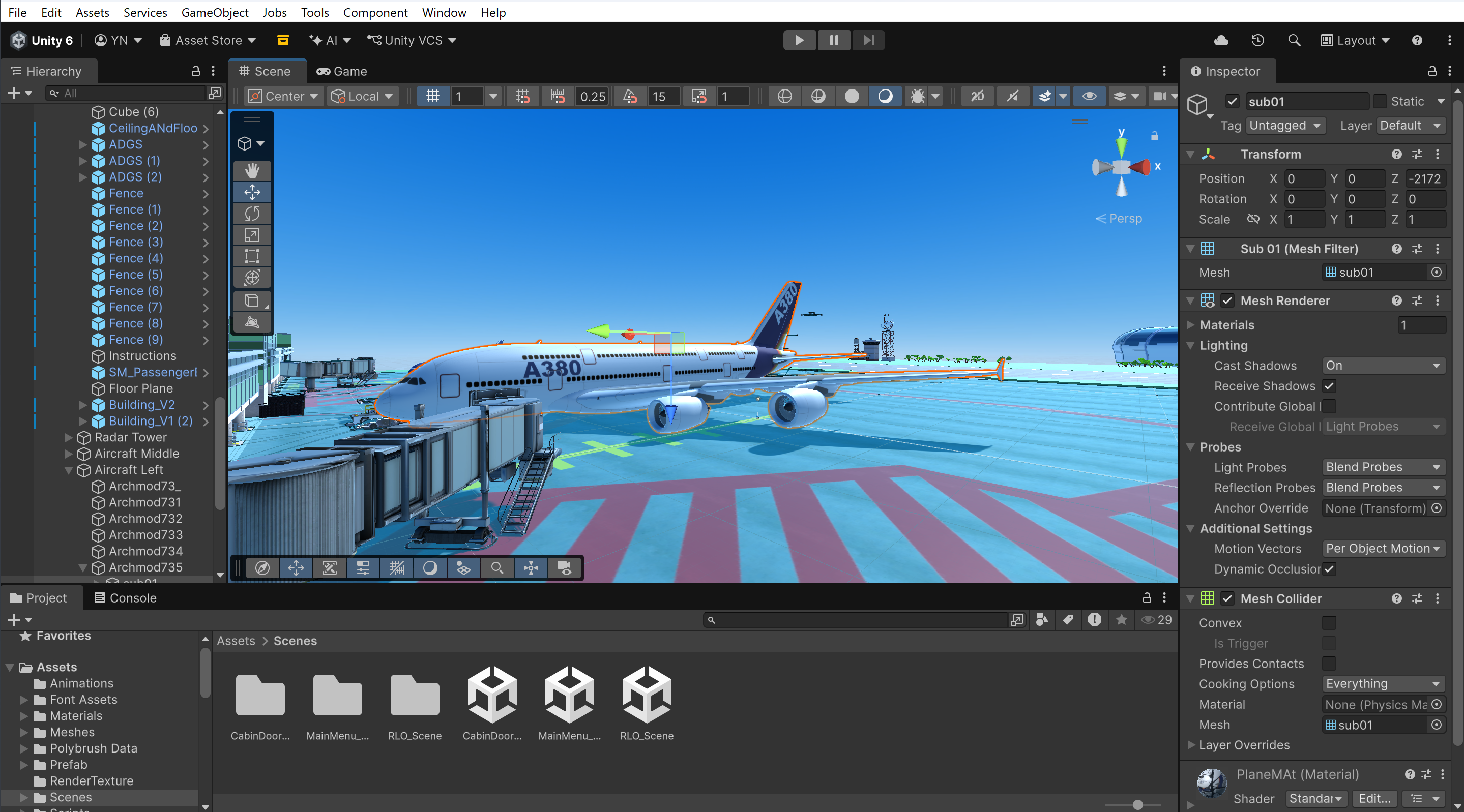
Before the complex logic could run, the physical digital environment had to be constructed. I managed a massive library of custom 3D meshes imported from Maya—ranging from ULD containers and floor rollers to intricate door locks. These assets were meticulously organized within the Unity hierarchy to compose the expansive Changi tarmac and the true-to-scale A380 aircraft exterior, ensuring lighting, static batching, and mesh colliders were fully optimized.
Sandbox Prototyping & MVP Validation
To validate the core interaction loops without the overhead of the massive main scene, I constructed isolated sandbox environments. This allowed for rapid MVP (Minimum Viable Product) test runs. By testing the player mechanics, UI Canvas overlays, and quest manager scripts in a controlled interior room first, I ensured that the foundational physics and logic operated flawlessly before deploying them into the full-scale, high-stakes cargo simulation.
Spatial Configuration & Player Mechanics
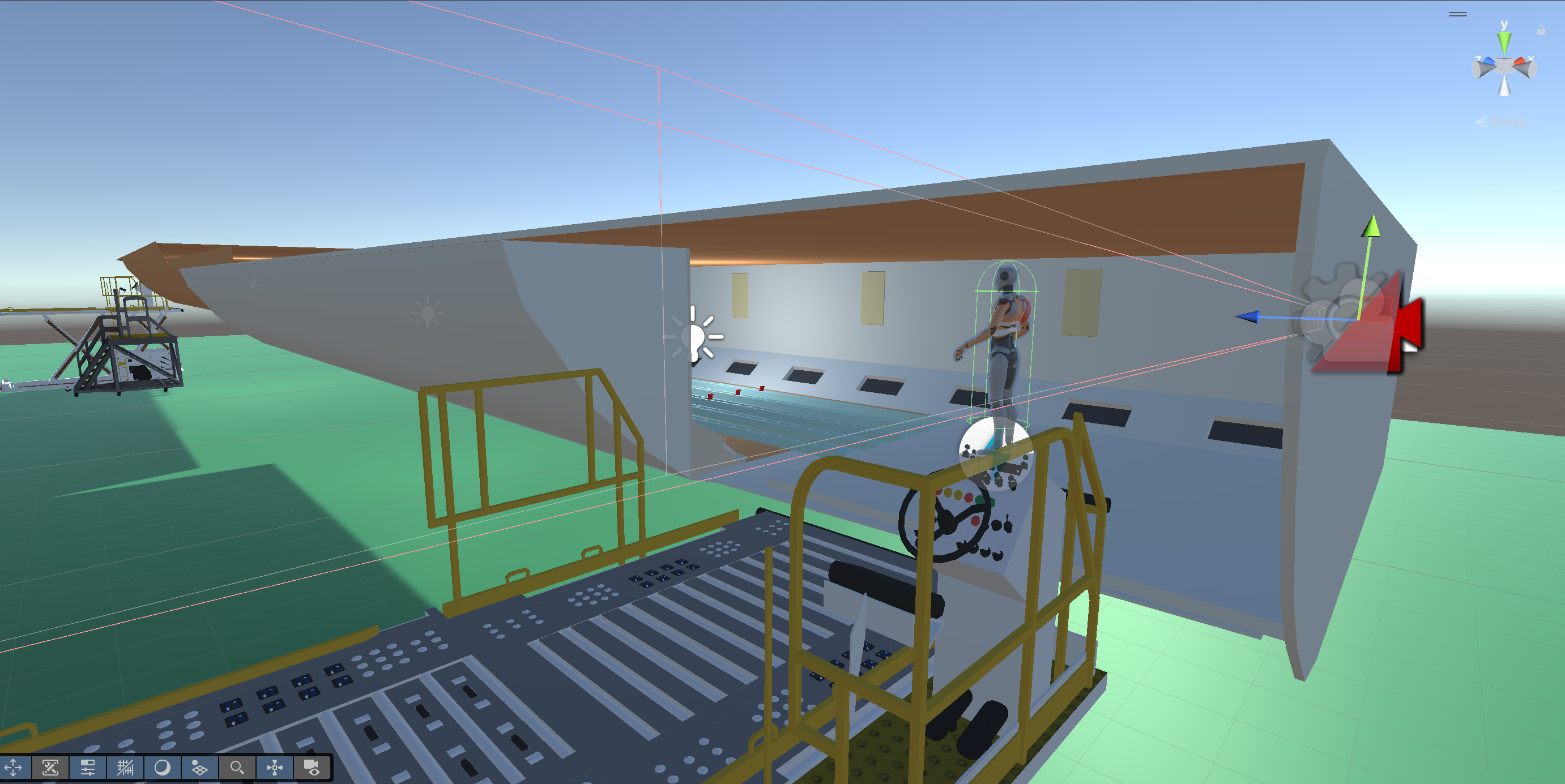
Fine-tuning the user experience required precise spatial adjustments within the engine. I configured the PlayerCharacter's Animator, Rigidbody, and Character Controller to ensure smooth third-person movement and collision. Moving into the highly restricted space of the cargo hold, I meticulously adjusted the player's pivot points, camera angles, and positioning on the JCPL transporter to guarantee that the interaction mechanics and visual field felt natural during the loading process.
09 Business Impact & Outcomes
Real-World Adoption
The simulation successfully surpassed its initial proof-of-concept scope. It was officially adopted by the SATS Gateway Services Apron Department and integrated as a core internal learning tool to safely and efficiently onboard fresh ramp staff.
Scalability & Seamless Handover
Because the project was engineered with a clean, modular object-oriented architecture, it was built for the future. I successfully documented and handed the product over to the internal department, providing a robust foundation for the next team of developers to seamlessly scale the software and add new operational features.
Executive Recognition
The product's high fidelity and practical training value caught the attention of leadership. I was invited to demonstrate the simulation at a major SATS global company event, where it received significant recognition and validation from Vice Presidents, senior managers, and key operational stakeholders.